Login - Unit wallet
Login to Unit Network Using Talisman Wallet
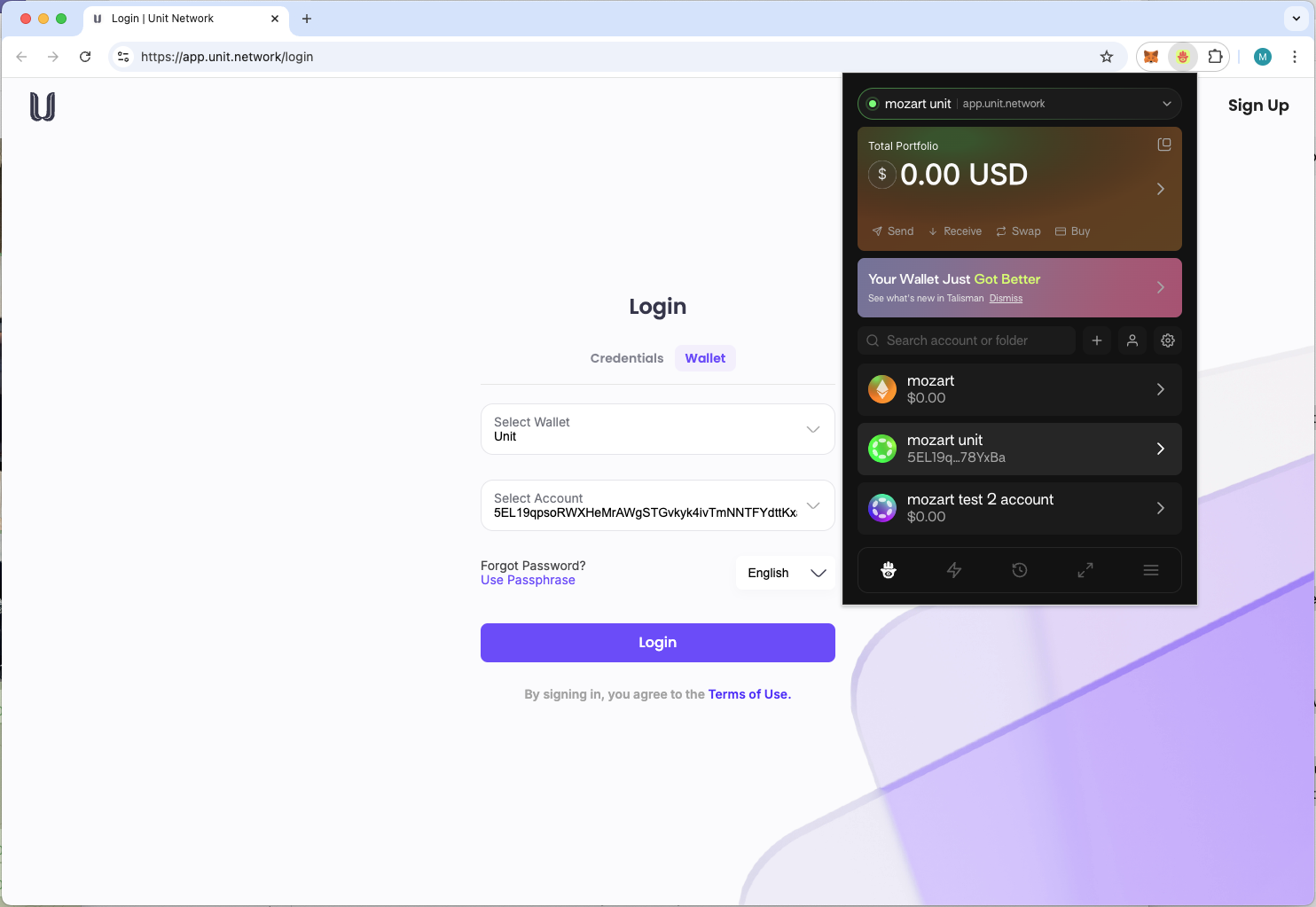
To log in to Unit Network with Talisman Wallet, follow these steps:
1. Open Unit Network
- Navigate to the Unit Network website or app.
2. Select Talisman Wallet Login
- On the login page, choose the option to connect using Talisman Wallet.
3. Connect Your Wallet
- Follow the prompts to securely connect your Talisman Wallet to Unit Network.
4. Authenticate (If Needed)
- Depending on your Talisman Wallet settings, you may be asked to enter a password or complete verification.
5. Access Your Account
- Once connected, you’ll be logged in and able to access your Unit Network account and its features.
This process ensures a secure and straightforward connection between your Talisman Wallet and Unit Network. If you encounter any issues, the support team is available to assist you.